Nine choices we made building Ziffa, and why

Every piece of software is a set of choices. Most of the time you only discover them after you’ve signed up: where your data really lives, what your clients have to learn, what happens when the software is wrong.
Here are ours, up front. Each one cost us something to build, and most of them came from what accounting firms and corporate service providers told us on discovery calls.
1. Your files live in your cloud
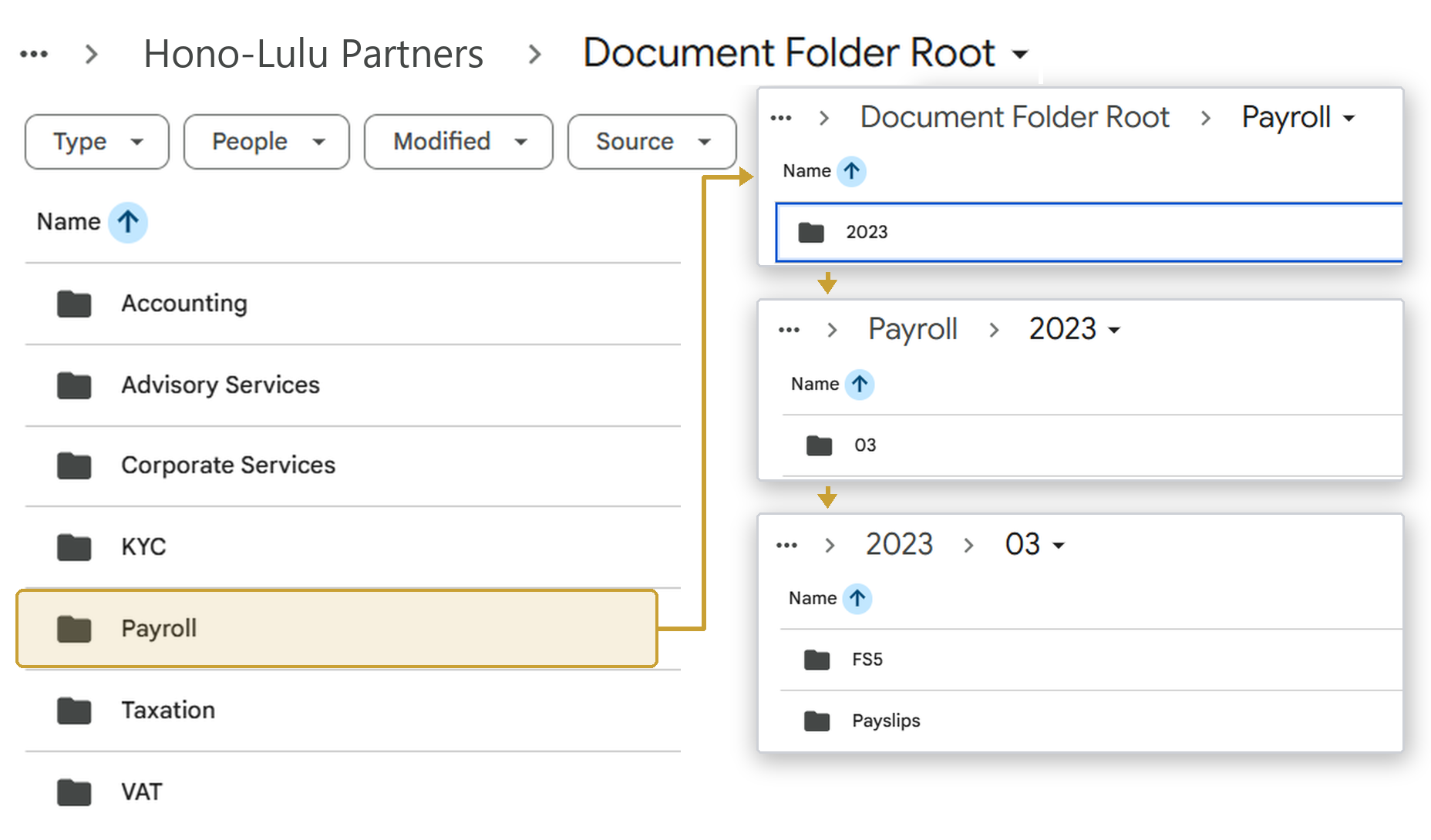
Ziffa files documents into your own Google Drive or SharePoint, in your folder structure. We could have stored the files ourselves, but we chose not to take on that responsibility, especially with the record-keeping rules firms have to follow. Your files stay yours, in your own cloud storage.
2. Your clients don’t learn anything new
Clients email documents or drop them into a shared folder. There’s no portal and no password. Every new login you ask a client for is one more password to forget and one more reason to send things late.
3. Client requests start from deadlines
When a VAT return approaches, the client is asked for exactly what that deadline needs, and reminders follow on the schedule you set for it. You decide the recurring jobs and what each one asks for, and you can create a one-off job whenever you need one.
4. It knows over 170 different document types
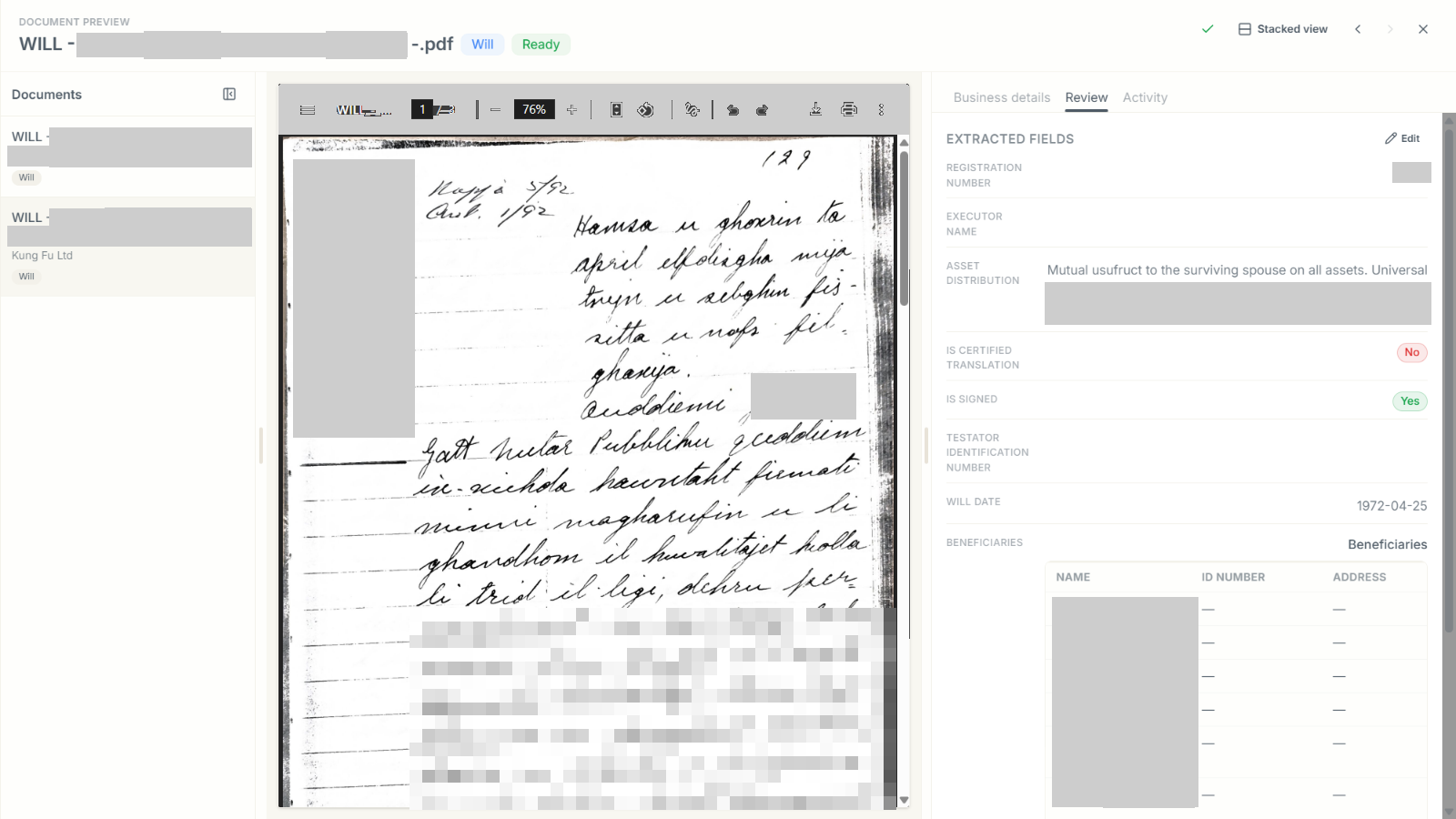
Ziffa recognises over 170 document types: invoices and bank statements, but also corporate and employment forms, deeds, powers of attorney, wills and loan agreements. It knows a proof of address older than six months won’t satisfy the FIAU, and it has read a handwritten Maltese will from 1972 and a typed loan letter.
5. A person makes every judgement call
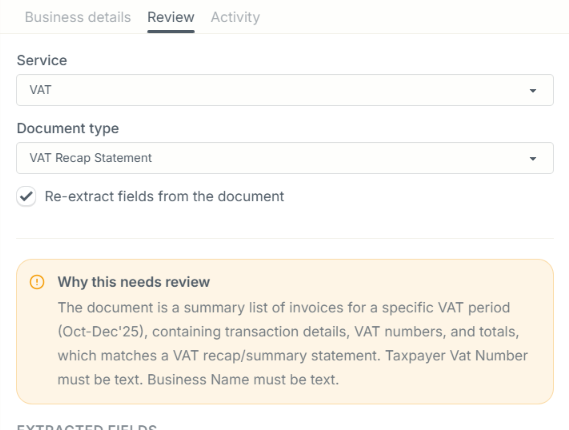
When Ziffa isn’t sure, or a document fails a check, it doesn’t guess. It holds the document in Pending Review and writes down why, in plain English. Your team decides. Approving a client, accepting a held document and filing a return all stay with the people qualified to do it.
6. We set it up for you, and train your team
We build Ziffa around your services, folder structure, naming rules, deadlines and templates, and we move your existing files across when you’re ready. Our Core and Pro plans include this setup and training, so your team knows how to use it from the first day. Practices are busy. Handing a partner a login and a help centre in November helps nobody.
7. One system instead of several that don’t talk to each other
Many firms run a separate tool for each part of the work: a spreadsheet or practice platform for deadlines, email for chasing, a cloud drive for files, Dext for invoices, an e-signature tool for engagement letters and Xero for the books. None of them knows what the others are doing, so someone on your team copies information from one to the next.
In Ziffa, the deadline, the request to the client, the documents that come back, the job, the time logged against it and the billing draft all sit on the same client record. The engagement letter is filled from that record and sent for e-signature from Ziffa too, and the signed copy is filed with everything else.
8. A ledger listing, even without Xero
Not every client needs accounting software like Xero. Ziffa keeps the details of every invoice and receipt it reads: the date, the supplier, the VAT number, the net amount, the VAT and the total. Filter a client’s invoices and receipts for the period, export them, and you have the purchases and sales listing for the general ledger in Excel, without keying in a single line. For clients who are on Xero, the same invoices can go across as drafts for your team to approve.
9. Clients can send whatever they have
Clients send documents the way they have them: a PDF from the bank, a photo of a receipt taken on an iPhone, a Word document, an Excel sheet, or a zip of the whole quarter. Ziffa reads PDFs, JPG, PNG, WEBP and HEIC images, Word and Excel files, and text and CSV files. It unpacks zip files too, so each document inside is read and filed on its own, whether it arrived by email, in the shared folder or as an upload.
What we chose not to be
- Ziffa isn’t accounting software. It sends invoices to your accounting software as drafts your team approves: Xero today, with others such as QuickBooks and Sage to follow.
- It doesn’t submit your VAT or corporate tax returns. Ziffa collects and organises what each return needs, and your team prepares and submits it.
- It doesn’t replace your KYC platform. It collects and checks the documents your KYC platform needs, and we can connect the two.
If those choices sound right
Book a walkthrough. We’ll set you up with a demo account using the default services, deadlines and folder structure we’ve refined with the firms already using Ziffa. Try it for yourself and see how much of the chasing and filing it takes off your team.