My company's paperwork problem, multiplied by every client you have

When I first started my own business, I made the decisions and ran the finances. Every payment and every sale went through me. So did the paperwork, and it arrived through multiple channels. Suppliers emailed me invoices, my business partner sent WhatsApp photos of things he’d bought, and my employees left paper delivery invoices on my desk. On top of that, every month I had to download the Z-reports and reconcile them with the bank statements and the cash collected.
My background is in finance, so I wanted everything organised and filed perfectly. Invoices, receipts, payment confirmations and bank statements by month. Contracts and loan agreements by year. Delivery notes and warranties too. Every file named properly and kept where I could find it.
But as purchases and sales grew (a good thing), I couldn’t keep up.
Hiring a financial controller wasn’t an option. Paying a €40,000 salary for filing work would have had a negative return. I also wanted to stay in control of the finances, because the company was at a sensitive stage and cash management was critical. By then, collecting all those documents was driving me nuts.
So I asked my best friend Daniel, a skilled software engineer and now my co-founder, for help. I wanted all incoming documents collected in one place without paying for an expensive ERP built for larger companies, and ideally filed automatically in my SharePoint. And he delivered.
Whether a document came by email, on WhatsApp or on paper, I forwarded it to one email address and voilà: it was named properly and filed in the folder structure I wanted for my company.
I was relieved and amazed at the same time.
The company was being audited around then, and what a difference! The year before, I’d spent two months searching for what the auditor asked for. This time I sent everything in a day.
That got me wondering how my auditor handled the documents I sent him. It turned out he was downloading every one, renaming it, filing it and uploading it to CaseWare. And I was just one of his hundreds of clients. Was every client sending him files through different channels, in no particular format? And worse, was he chasing each of them before every audit?
We suspected we were on to something, so I started cold calling accounting firms and CSPs. That’s when the scale of it hit me. Almost every firm I spoke to was dealing with my problem hundreds of times over, every quarter. They needed a better way to collect documents, so their people could focus on the work they’re qualified for. So we built Ziffa for accounting practices and CSPs receiving documents from hundreds of clients. Every client’s documents get requested, named and filed without the team chasing, renaming or sorting a thing.
What one client’s year looks like
This is roughly what a single company client sends its accountant in a year.
Payroll every month. VAT documents every quarter. Accounts, tax submissions, resolutions, FS3s, the FS7 and the audit every year. Then there’s the paperwork for ad-hoc changes, like a new director or a share transfer.
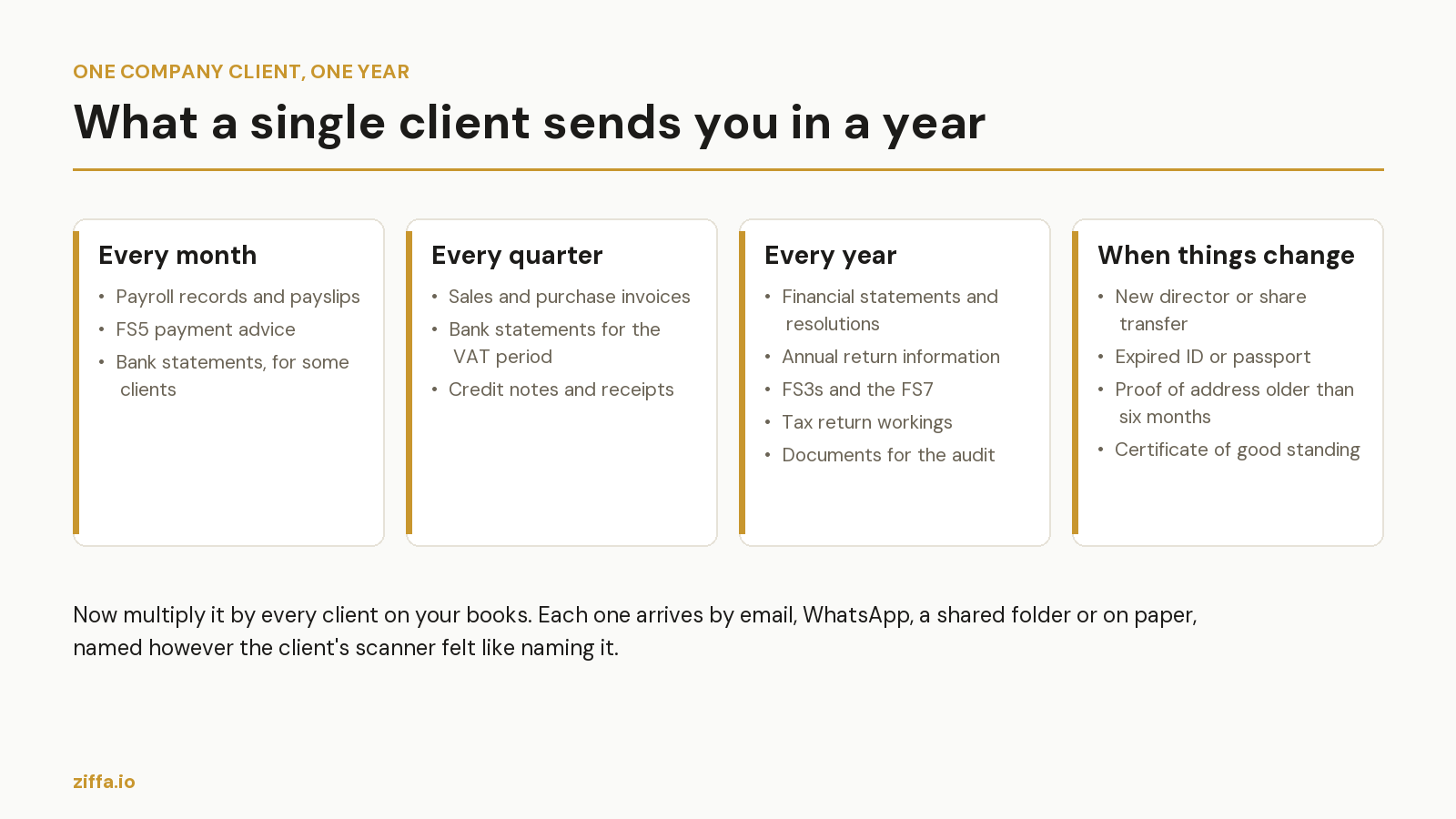
Multiply that by hundreds of clients. Most firms chase every one of them before each deadline, and take documents however they arrive.
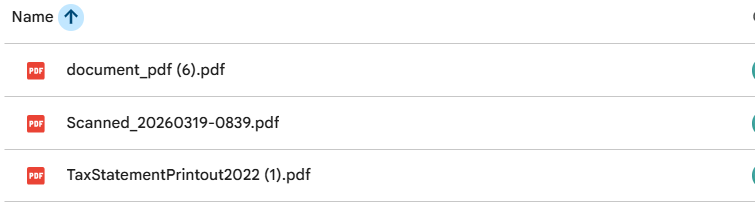
What surprised me most on those calls was that the firms weren’t disorganised. They had systems for the ledger, for KYC and for tracking deadlines. Nothing handled collecting and filing the documents.
Ziffa fills that gap. As each deadline approaches, it asks the client for the documents that deadline needs. Clients send them whichever way suits them: their shared folder or their own email address for the service. Anything that turns up on WhatsApp or at reception gets forwarded to the same address. No client ever needs a login.
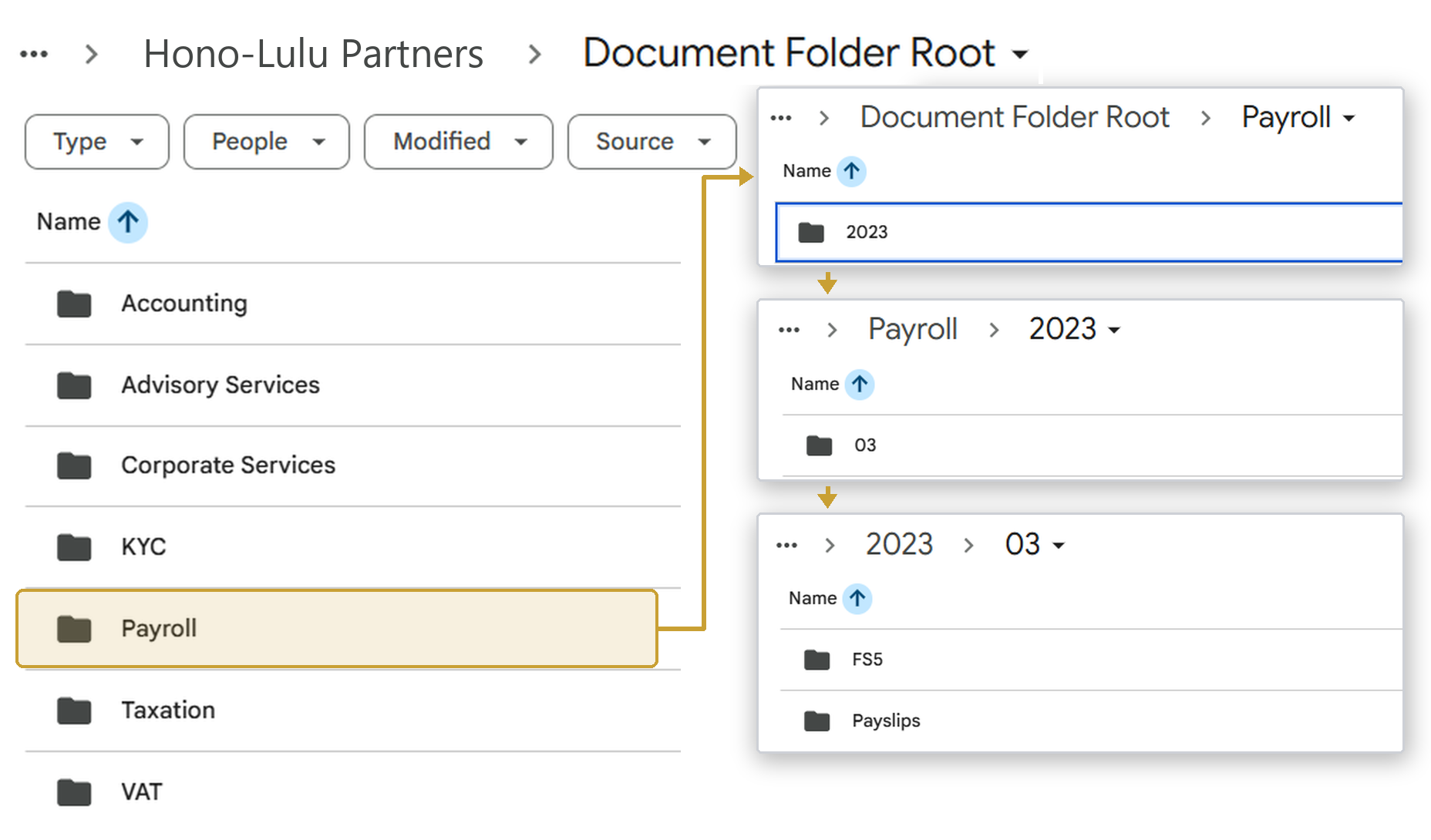
Ziffa then reads every document and works out what it is, from over 170 document types. Before anything is filed, it checks that the document is complete and in date. Anything that fails, like a proof of address older than six months or an invoice with no date, goes to your team to decide. Whatever passes is renamed and filed automatically into your own Google Drive or SharePoint, in the folder structure your firm chooses, the same way for every client.
”Can’t we keep everything in Xero?”
For invoices and receipts, Xero works well. But each file keeps the name it arrived with unless someone renames it by hand, which makes the right one hard to find later. A practice also holds far more than invoices and receipts: MBR forms, IDs, proof of address, resolutions, deeds. When the auditor asks, someone still pulls the files together and sends them across.
Ziffa sends extracted purchase and sales invoices to Xero as drafts, so Xero still gets what it needs. Everything else is already named and filed in your own Drive. When the auditor asks, you share a folder.
”What about Dext or GoTofu?”
Both do a very good job of what they were built for: bookkeeping documents. In Dext’s own words, that means bills, receipts, sales invoices, supplier statements and bank statements. GoTofu covers invoices, receipts and bank statements.
But a practice does far more than bookkeeping: tax, audit, payroll, corporate services, work permit applications. Each comes with its own documents, such as the FS3s, the resolutions, the passports and the certificate of good standing. You chase clients for those too, and they’re the documents an inspector asks for. A firm using Dext or GoTofu pays for help with the accounting documents and still chases the rest by hand.
”We already use TaxDome or Karbon”
Both are good at running a practice: requests, reminders, time and billing. The difference is what happens to a document once it arrives.
What we built for firms
Most firms use one or more of the tools above: a practice platform like Karbon or TaxDome to send requests and track the work, Dext for the invoices, and Xero for the books and the billing. In Ziffa it’s one flow.
Take a quarterly VAT return. As the deadline approaches, the client gets an automatic email asking for exactly what your team needs to prepare it. The invoices and bank statements come back by email or into the shared folder, with no portal to log into. Ziffa recognises each one, checks it and files it in your own Drive, under the right client and in the folder you chose. A job is created for the return with the documents already attached, so your team can pick it up, follow its progress and log time against it. The agreed fee is drafted as an invoice in Ziffa for you to review and issue through Xero. One-off work, like a share transfer, runs the same way, except you send the request yourself.
Your ledger and your KYC platform stay where they are. Ziffa works in the gap between them and your clients.
Why this matters more every year
Malta qualifies around 200 accountants a year against roughly 600 the profession needs.¹ With qualified people that hard to find, every hour they spend chasing, sorting and renaming client documents is an hour taken away from client work.
Once Daniel and I had the system running in my own company, the audit that used to cost me two months of searching took a single day. Ziffa gives your firm that same fix, across every client you have.
If your practice is growing, the admin is growing faster than your team, and you’re paying for several separate tools to do multiple jobs, Ziffa does them in one system.
¹ A University of Malta lecturer speaking to TVM, 10 December 2025.