Where do your clients' documents actually go?

In our discovery meetings, every accounting firm and CSP asks us the same question: “If Ziffa collects our clients’ documents, where do they end up?”
Your files stay in your cloud
When you import or create a client, Ziffa builds a folder structure inside the cloud storage you already use: Google Drive or SharePoint.
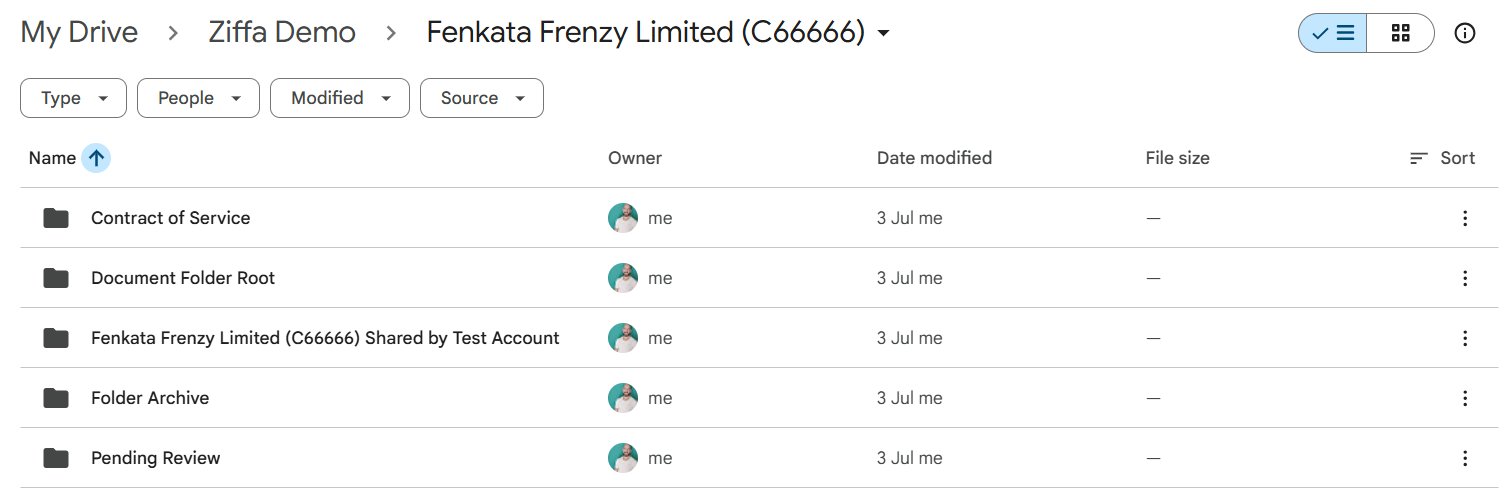
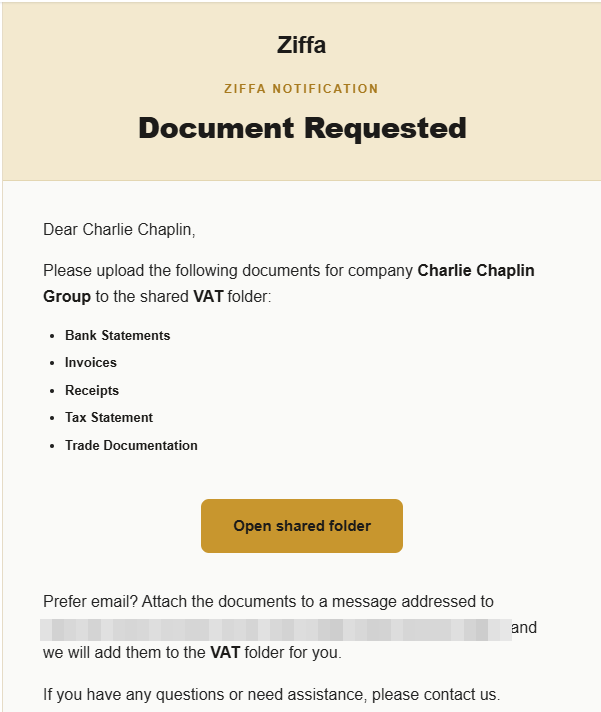
Each client gets one folder shared with them, named “[Client] Shared by [Your Firm]”. That’s the only part of your storage they can see. Whether they drop a file in it or email it to the address we give them, it lands in that shared folder.
From there, Ziffa picks up each new document, works out what it is, checks it, renames it and files it into your structure. Anything that fails a check goes to the Pending Review folder with the reason written down, so you can decide whether to file it anyway or go back to the client.
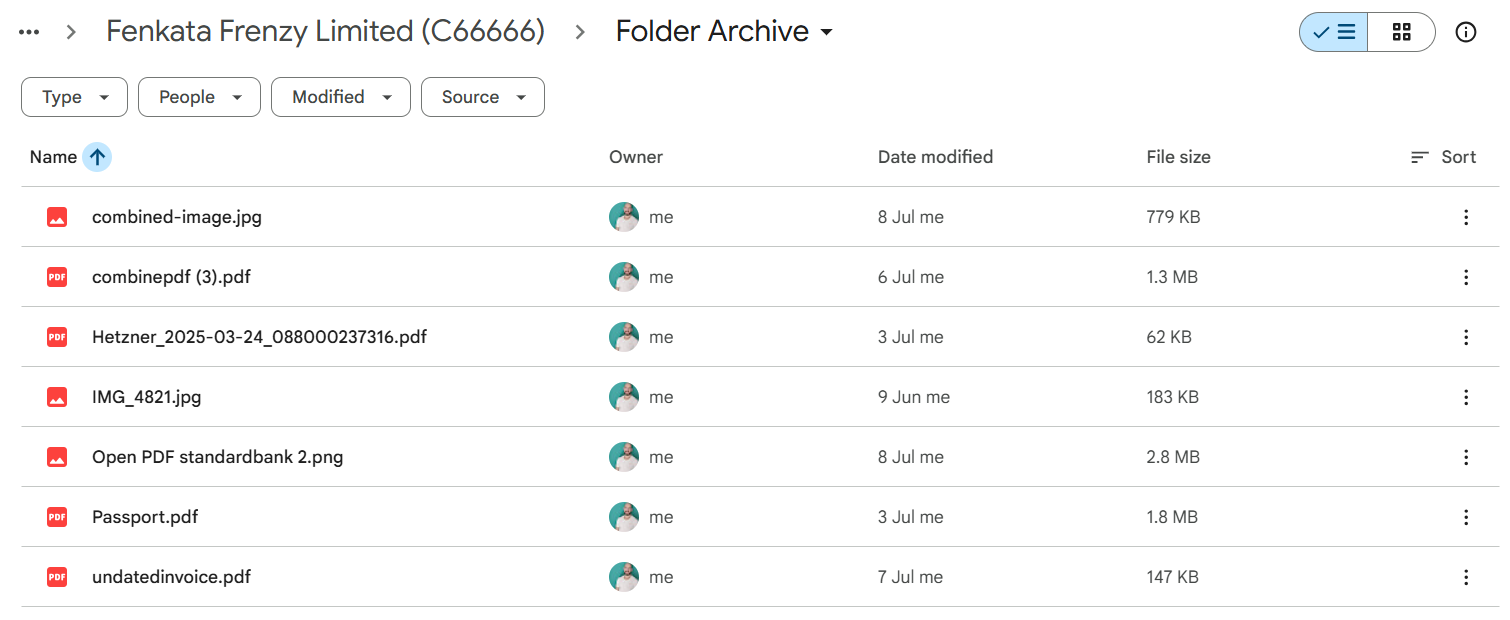
The original, exactly as the client sent it, is kept in a Folder Archive under your account. If a client ever insists they sent something they didn’t, or sent a different version, you have the raw upload. You can share the archive with them if you want to.
Why use the cloud?
We made that choice for two reasons.
The first was friction. Software like Ziffa that promises to save your team work shouldn’t start by making them learn where files live all over again, so we kept change to a minimum.
The second was trust. Your clients don’t know Ziffa yet. They already trust Google and Microsoft. Building our own storage would have been easier for us, but it would have meant holding your clients’ files. Integrating our system with the storage you already use took more work, but it means your clients’ files stay under the security you already rely on.
And if you stopped using Ziffa tomorrow, every file would still be exactly where your team expects it.
What Ziffa keeps, and GDPR
Ziffa reads every incoming document so it can tell a passport from a payslip. If you choose, it remembers details from each one, such as an expiry date, a VAT number or the period a bank statement covers, so it can check them and remind you when a renewal is due.
Those details are kept for 12 months on our standard subscription, and longer if you need them. Ziffa is hosted in Europe and processes your clients’ data on your behalf under GDPR, so you decide what it keeps and for how long.
”Wouldn’t our own server be safer?”
Ziffa can be installed on your own server if you prefer. It takes longer to set up, and longer to update every time we improve something.
A server in your office also goes down when the power does, and if you work in Malta, you know how often that happens. It needs patching, backups and someone who knows how to do both, all of which adds to your IT costs.
Cloud storage avoids both problems. Google commits to 99.9% monthly uptime for Workspace, and Microsoft pays service credits when SharePoint or OneDrive falls below 99.9%. Your files in Google Drive or SharePoint stay reachable from a laptop at home or a phone on mobile data.
If Ziffa is ever down, your filed documents are untouched in your cloud, and new uploads wait in the shared folder until it’s back.
Cloud storage and FIAU record keeping in Malta
Some firms worry the regulator won’t allow the cloud. It does:
- The FIAU lets you keep records electronically, as long as you can find and hand them over quickly. Nothing requires them to be on your premises.
- One exception: where a document was certified by an outside third party, the FIAU expects you to keep the physical document with the original certification. Keep that paper file.
- If you’re a CSP, the MFSA’s technology and outsourcing guidance applies to you. It allows public cloud and expects you to treat it as outsourcing and record it in your outsourcing register, including where the data is stored.
- DORA, the EU’s digital resilience regulation, doesn’t cover accounting firms or CSPs. It applies to banks, insurers, investment firms and similar financial entities, and even they are allowed to use the cloud, provided they manage the risk, keep a register of their providers and plan an exit.
Your clients don’t need another login
Clients send documents the way they already do, by email or into their shared folder, so there’s no portal to learn and no password to forget.
If you’d rather give clients a branded area of their own, we’ve connected Ziffa to the websites of a couple of firms. Their clients log in to review contracts and invoices, upload documents straight into the firm’s cloud storage and message the firm directly. It looks more professional, and helps your firm stand out.
Your team sees what their role allows
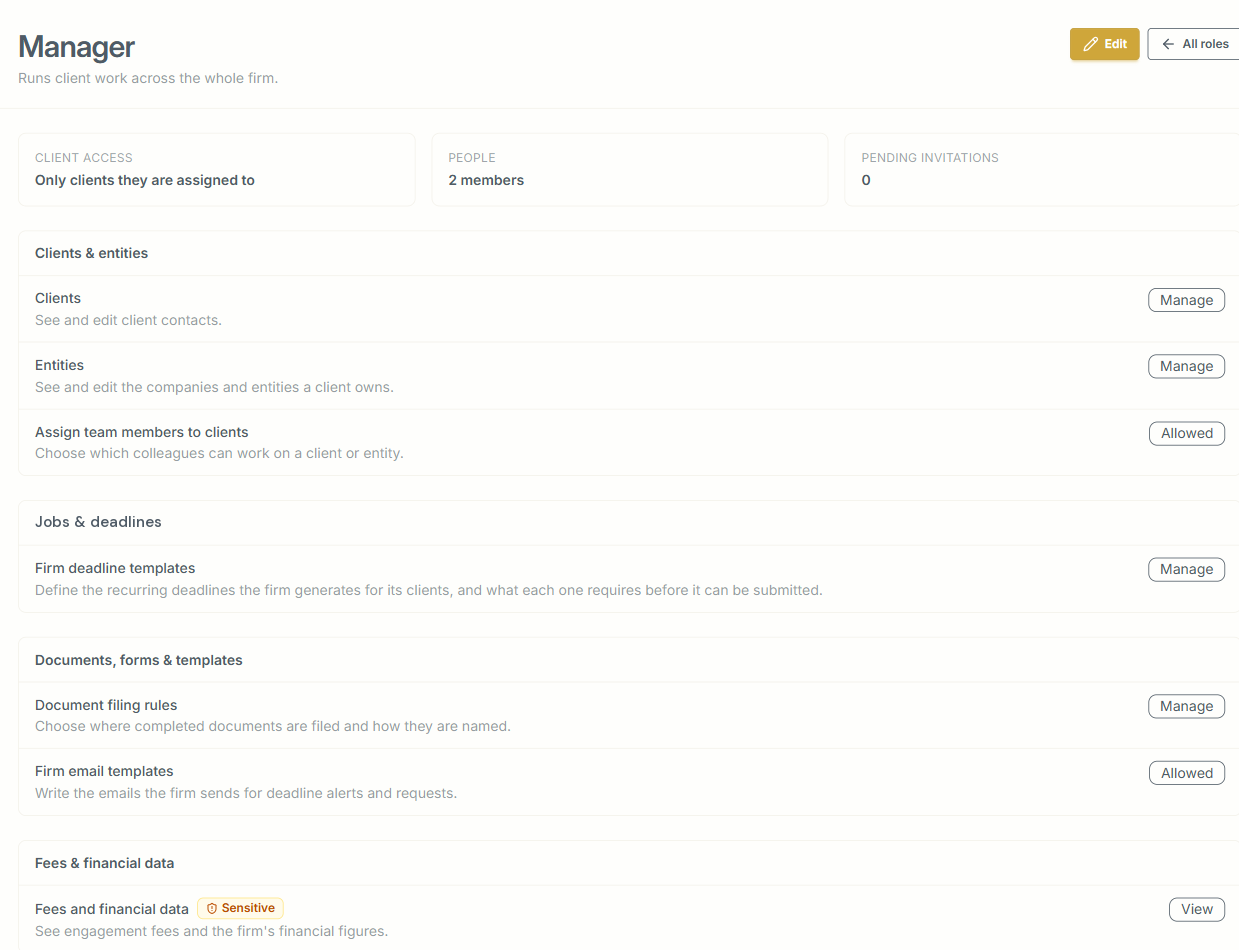
Inside the firm, you decide who sees what through roles. Every document’s journey is logged with a timestamp: when it arrived, whether it passed its checks, how it was renamed and where it was filed, and who reviewed or changed it.
Who you call when something goes wrong
Security also depends on what happens when something looks wrong: a client says they emailed a document that never arrived, or someone leaves the firm and their access to client documents has to go that same day.
With Ziffa, you deal directly with us, the people who built your setup: your folders, your file names and your deadlines. Hosting, maintenance, security updates and backups all come with the subscription.
Moving your existing files
You don’t have to move years of files on day one. Once your team is comfortable with the new way of working, we plan a migration with you, so documents from previous years are filed the same way as new ones and are just as easy to find.
When the inspector knocks
If the regulator or your auditor asks how you keep records, you can point to one place: your own storage, one folder structure for every client, the raw original of every upload, and a log of what happened to each document after it arrived.
To see a document’s whole journey, from the automatic request to your client to the folder it ends up in, book a walkthrough.